


What is the difference between Pelotonics project organiser and PlanHQ task manager? Find out which are the features that distinguish Planzone from its competitors on project managment market. See, how the ProjectSpaces user interface looks like. Find out pros and cons about SamePage planning tool. Hope this article will be useful for those, who are looking for a comfortable planning organiser for personal and business needs.
Pelotonics online task manager
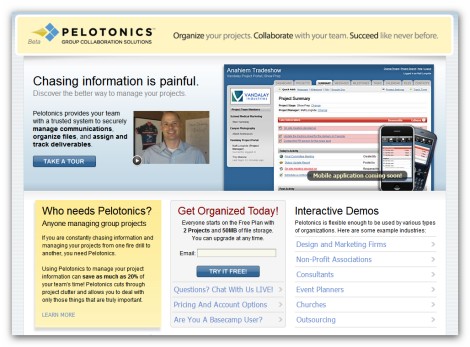
Pelotonics represents an online project management service that is used to securely manage communications, organize files, and assign and track tasks. There is no excessive functionality you don’t need, so you can deal with only those things that are truly important. In addition to that it has really simple and easy-to-use interface, still it doesn’t mean that there aren’t any drawbacks. Of course, there are some, but we will talk about them a little bit later. For now let’s check the screenshots.
Here is the screenshot of Dashboard:
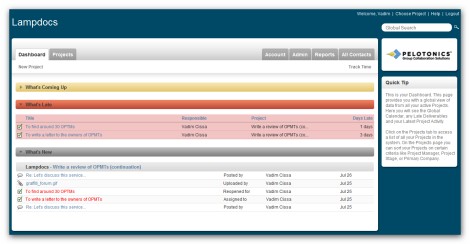
This page being divided into three sections (what’s coming up, what’s late and what’s new) provides all the information in an easy and understandable way.
Next screenshot displays Tasks:
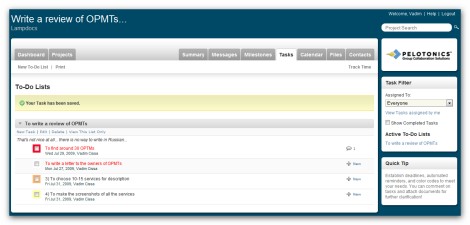
Probably the only thing missing here is the opportunity to add and, as a consequence, to check the description of a task. In other respects there are many useful features: task priority, opportunity to add comments and check the current amount of comments, task time tracking, task filtering and etc.
And Messages:
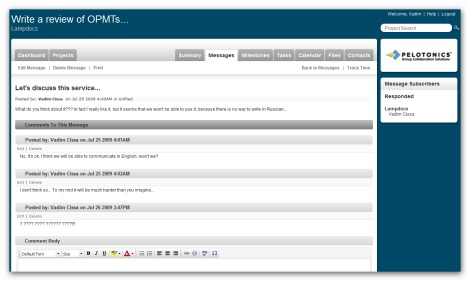
Of course, it looks pretty ordinary, but at the same time allows editing and deleting comments, and has rich text formatting options.
Main characteristic features:
- Opportunity to schedule free 30 minutes phone consultation
- Six different packages, including a free one
- SSL 128bit encryption
- Very intuitive and easy-to-use interface
- Great list of current customers and etc.
Pros and cons:
+ pretty intuitive interface
+ commenting on tasks
+ rich text formatting
+ customizable Calendar panel
+ separate panel for communication
+ separate panel for files
+ task priority
+ opportunity to create task lists
– no subtasks
– no description for tasks (just for projects; still you can describe the task in the first comment)
– no detailed reports
– no way to comment on projects
Customer support service
We got very fast response – within 24 hours.
Project Mark: 4
PlanHQ Project management tool
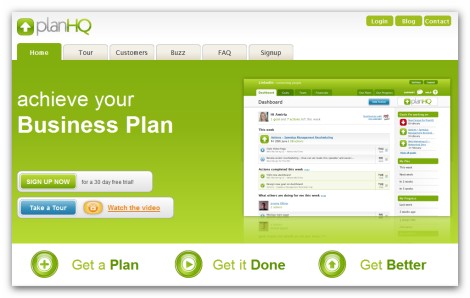
PlanHQ is a project management and planning tool that allows you to turn your static document and spreadsheet into a dynamic and up-to-date overview of where you’re going and how you’re tracking. It gives you the opportunity to align and prioritize team work against company goals, and track progress towards achieving the goals. The most noticeable things about PlanHQ are its simplicity and really attractive interface; as for the functionality it might be better.
Here is the way Dashboard and Tasks look:
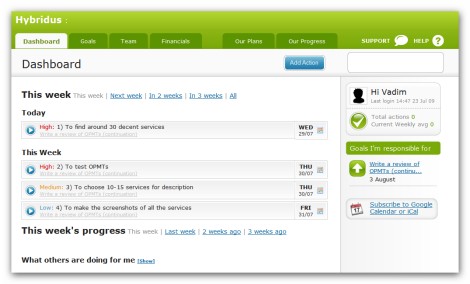
As you can see given page is extremely simple including just tasks and goals. Tasks (actions) are displayed with the priority and due date. To check the description of a task and other details you need to click on a task.
The next screenshot represents Goals with Comments:
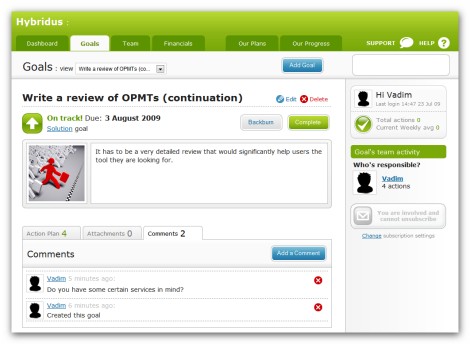
In addition to the fact that this page is well organized it has some valuable features, such as: comments, actions (tasks), attachments, and description for a goal.
Main characteristic features:
- Nice-looking and easy-to-use interface
- Forecasts and budgets
- Opportunity to export data
- SSL encryption
- Opportunity to create private goals
Pros and cons:
+ very intuitive and nice-looking interface
+ the opportunity to create plans
+ priority for the tasks
+ description for tasks
+ detailed progress reports
– no text formatting options (tasks, comments)
– no comments for tasks (just for the project, i.e. goal), still there is a history for each task, which may replace it to some extent
– no separate panel for communication
– no separate panel for files
– no subtasks
Customer support service
We didn’t get the response at all.
Project Mark: 3+
Planzone online project manager
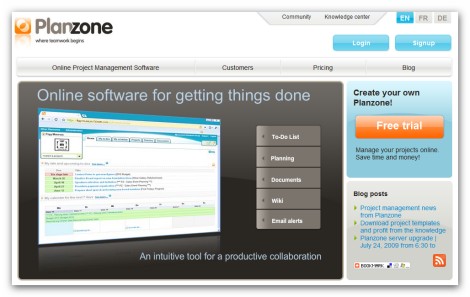
Planzone is an efficient online project management solution that provides you a set of intuitive tools, designed for optimizing collaboration on projects involving both internal and external resources: to-do list, project planning, document sharing and etc. Planzone doesn’t require your team to be trained for using it, because it was designed to help you feel comfortable in your workspace for an intuitive and simple usage. Moreover there is opportunity to share your templates with internal teams as well as the online Planzone community.
As for the screenshots here is the first one – Activities page:
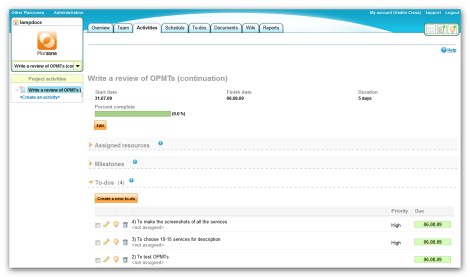
Given page provides you all the information about your project activities: milestones, tasks, discussions (comments on a project), project status and duration. It gives you an opportunity to control tasks without checking Tasks page (To-dos page).
Here is the way page with task lists (To-dos page) looks:
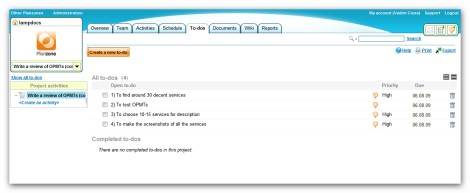
There are nothing to mention, except task priority and comments. However you can get a detailed view of a task just by clicking it once.
Main characteristic features:
- An intuitive and comprehensive design
- Opportunity to share Planzone pages via email
- SSL encryption
- Five different packages: free, individual, team, business and enterprise.
- Interactive scheduling tool and etc.
Pros and cons:
+ commenting on projects, files and activities
+ detailed reports
+ ability to create Wiki pages
+ commenting on tasks and files
+ Gantt chart view for activities
+ decent interface
+ task priority
+ descriptions for projects and tasks
– no subtasks
– no separate panel for discussions (in fact you don’t need one, because you can discuss and comment everything)
– no way to edit comments (just delete)
– rich text formatting just for Wiki pages
Customer support service
We didn’t get the response at all.
Project Mark: 4-
Project Manager online task planning tool
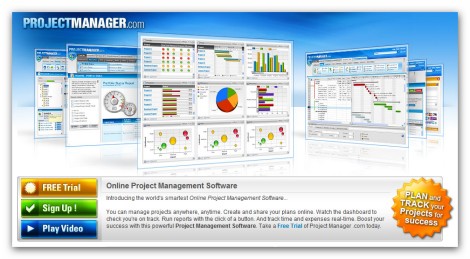
Project Manager represents a web-based project management software that is simple and intuitive to use. The main distinctive feature of given solution consists in its interactivity and customizability – it includes a lot of different chats, tables, schemes and etc. Despite the fact that the interface of this tool, which is pretty attractive, is considered to be one of its important advantages, some users do not like it at all, because they have a feeling that developers spend too much time to create nice-looking interface instead of improving the functionality of the service.
For now let’s check the screenshots of the most important pages. The first one is Dashboard:
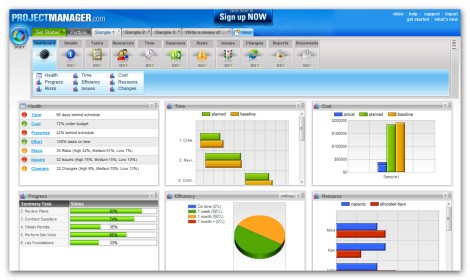
It’s a very informative page; moreover you can easily customize it the way you want. However the main problem is that there are too many charts and schemes, and no plain text, which sometimes may be even more useful.
The next screenshot is Tasks page:
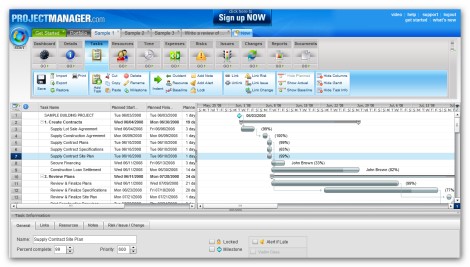
As you can see this page is very rich in content containing: implemented Gantt chart, well organized task lists, detailed task information (general, notes, change, issue, link, resources, risk), and etc. The only thing that missed here is opportunity to comment on tasks.
Another page to mention is Issue page:
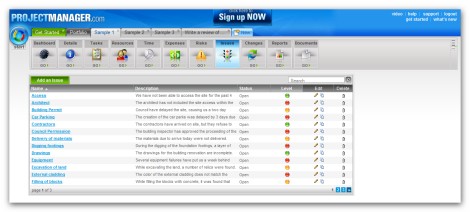
Though it’s not as informative as the previous one, it provides all the information you need as far as issues are concerned: description, status, level, opportunity to edit or delete, and relate an issue with a task.
Main characteristic features:
- Attractive interface
- MS Project integration
- Free client access
- SSL 128bit encryption
- Just one package (that cannot suit everyone) and etc.
Pros and cons:
+ issue tracking
+ priority for tasks
+ very detailed reports
+ implemented Gantt chart
+ ability to create subtasks
+ descriptions for projects and tasks (as notes)
+ separate panel for files
– no comments on projects, tasks and files
– no text formatting options
– no separate panel for communication
Customer support service
We didn’t get any response at all.
Project Mark: 4-
Project Spaces online management tool
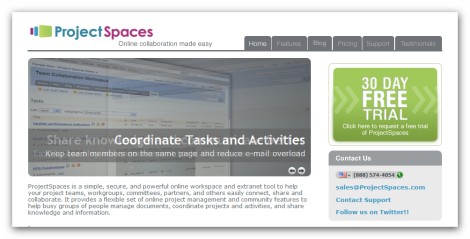
ProjectSpaces is a simple and powerful online collaboration solution, which provides a flexible set of online project management and community features to help groups of people manage documents, coordinate projects and activities, and share knowledge and information. Although given tool is really easy to use and is loaded with just right features for online collaboration and project management, its interface leaves much to be desired.
Here is the first screenshot to check – Workplan page:
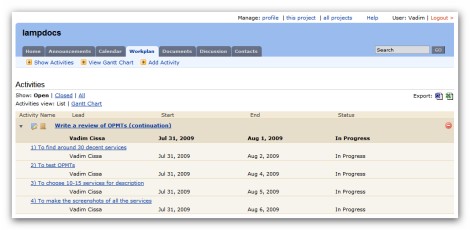
On this page you can see just activities (projects) and the tasks which refer to them. In addition to that there is an opportunity to export the data.
The next page is Task View with Comments:
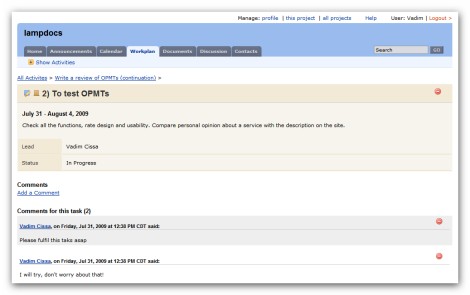
Unfortunately there is no detailed info about a task, so the only thing that can be mentioned here as an advantage is opportunity to comment on tasks.
The last thing to check is Discussions page:
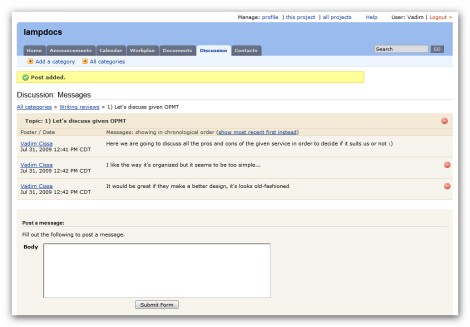
Given page is too simple – there are no even rich formatting options, just the opportunity to post a message, which cannot be edited, but deleted.
Main characteristic features:
- Telephone support
- Daily backups of data
- SSL encryption
- Seven different packages, unfortunately there is no free one
- Custom domain and color scheme, and etc.
Pros and cons:
+ commenting on projects, tasks and files
+ separate panel for discussions
+ Announcements panel (like blog)
+ Calendar panel
+ Gantt chart view for tasks
+ ability to send files as emails
+ descriptions for projects and tasks
+ separate panel for files
– no subtasks
– no way to edit comments
– no task priority
– rich text formatting just for announcements
– not attractive interface
Customer support service
We didn’t get the response at all.
Project Mark: 4-
SamePage project management tool
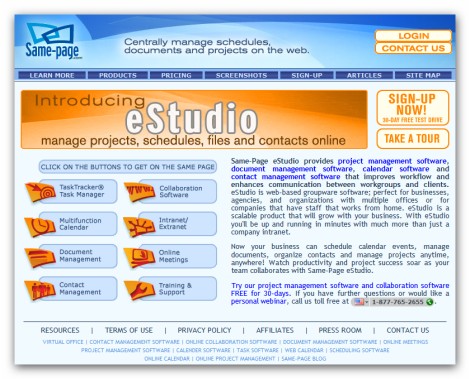
Same-Page eStudio being a multifunctional project management solution does a great job of improving workflow and enhancing communication between team members and clients. It has some really nice extra features (video conferencing, live chats, presentation and etc.), which may be very useful for some users. As far as the standard features are concerned there are just few things to be added, but in general Same-Page produces very decent impression; so you should spend some time to check it.
The first screenshot is Project Overview with Comments page:
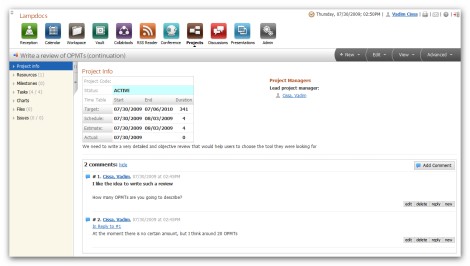
Nice feature of this page consists in the fact that you can access all the things related to the project: milestones, tasks, resources, charts, files and issues. Moreover, as you see, you can comment on projects.
Another screenshot we are going to check is Task List page:
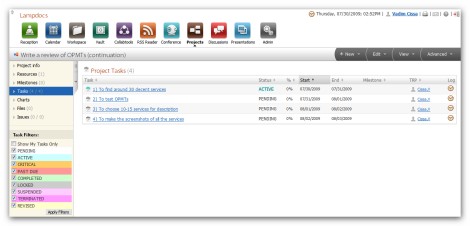
Here you get the most important data concerning your tasks: status, % of fulfillment, responsible team member and worklog.
The last screenshot is Discussions page:
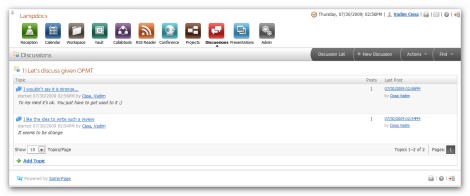
In fact given page is very similar to a forum having topics, discussion lists, posts and etc. Very nice thing about it is that there are rich formatting options.
Main characteristic features:
- Live chats
- Opportunity to create polls
- Issue management
- Team mail
- Free training and etc.
Pros and cons:
+ commenting on projects
+ rich text formatting
+ separate panel for discussions
+ ability to add issues for tasks
+ ability to create conference
+ ability to create presentations
+ priority for tasks
+ detailed reports (including Gantt charts)
+ separate panel for files
– no subtasks
– no comments for files
– no comments for tasks
Customer support service
We get the response within 24 hours.
Project Mark: 4+
Good list, please also check http://www.binfire.com, it has more collaboration and advance project management features than all apps listed here. It is easy to use and lets users create tasks and sub-tasks (up to 6 levels), comment on tasks and files, tag everything in the system plus interactive Gantt and whiteboard. Everything a project team needs in one easy to use app!
Gentlemen,
appreciate the Planzone review, could you however specify the exact time and date and email you used to solicit our customer support.
We have a 100% reply record so would be interested in how you managed not to get a reply from us,
thanks in advance
Michael Benninga Planzone Paris