


New task managers tools reviews! Main caracteristics features of such web project planning and operating systems as DeskAway, Huddle Task Manager, LightHouse, LiquidPlanner and OnStage planning solution. As usual: typical features, pro and cons options about each task planning tool. Find helpful conclusion in this brief overview.
DeskAway Project Management Tool
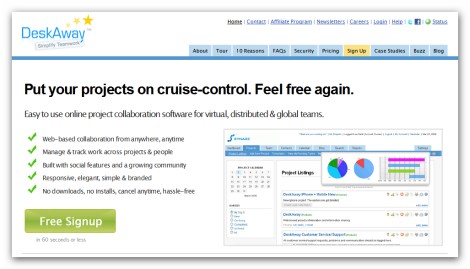
DeskAway is an online project collaboration service that provides teams a central location to easily organize, manage and track their projects. It has really great functionality and very intuitive interface, ensuring thus a simpler and a more powerful way to collaborate and work smarter. In addition to that there are some really nice features which you can hardly encounter in any other online service of project management, but we will talk about that a little bit later (check pros and cons).
Here is the first screenshot – Project Overview page:
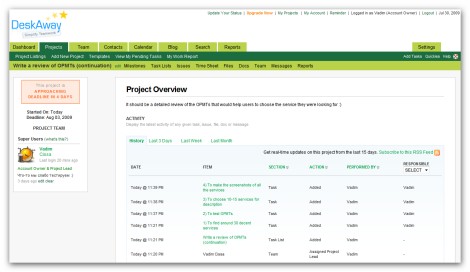
Given page contains just the information you need (project description, latest activity, overdue tasks, milestones and issues) – nothing extra, but it’s more than enough for a project overview.
Another important page that is checked very often as well – Tasks Page:
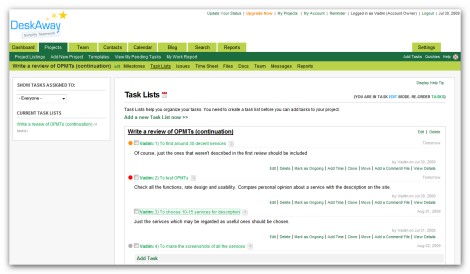
Here you can do everything you need: expand and collapse tasks to check the description, reorder, add comments, edit, delete, check the priority, reassign and etc.). All tasks are grouped in task lists. To my mind there is nothing to add to this page – it’s really well organized.
Messages Page is also of great importance:
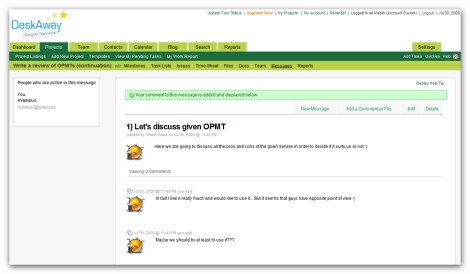
This page is as simple as possible – you can just create topics and add messages to it.
Main characteristic features:
- Opportunity to create own templates
- Issue tracking
- SSL 256bit encryption
- Five different packages including free on
- Opportunity to export all the data and etc.
Pros and cons:
+ descriptions for projects and tasks
+ ability to create task lists
+ separate panel for files in each project
+ separate panel for discussions in each project
+ Blog panel
+ commenting on tasks and files
+ detailed reports
+ Issues panel in projects
+ opportunity to create documents
+ opportunity to create own templates
+ adding tasks and replying to task comments via email
– no subtasks
– poor text formatting in tasks, comments and descriptions (using tags)
– no comments on projects (frankly speaking in this case it’s not a big deal)
Customer support service
The response was received in 2 days – pretty decent result.
Project Mark: 5-
Huddle Task Manager Tool

Huddle being very decent web-based project management solution gives you simple and secure online workspaces containing powerful project and collaboration tools. It has really nice interface with moveable widgets displaying all the activity across all your workspaces, so you can easily get an overview of what’s going on in your projects. Though it has extra features like Huddle meetings and conferencing, there some things to be added; still in general it produces the impression of a balanced and efficient task management tool.
The first screenshot we are going to check is Workspace Overview:
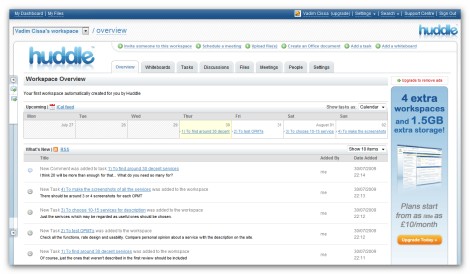
This page provides the most important information about your tasks and projects in general: latest activity (what’s new), upcoming tasks and late tasks. It’s a pretty standard view, but sufficient for the majority of users.
Next screenshot presents Task Overview with Comments:
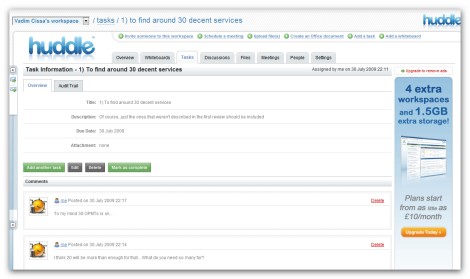
As you can see, it’s very simple (I would even say too simple) – there is no detailed information about the task (just title, description, due date and attachment). However it’s very nice that you can comment on a task.
Finally we will check the screenshot of Discussions page:
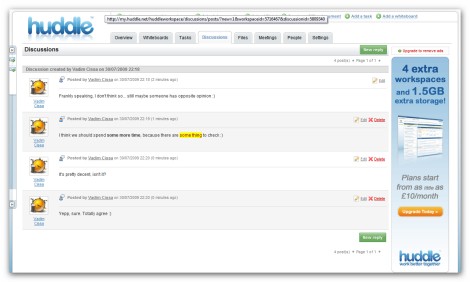
Given page represents a simple forum allowing you to edit and delete comments.
Main characteristic features:
- Phone conferencing
- Personalized and multi-language support
- SSL encryption
- Five different packages, including free one
- Opportunity to create whiteboards and etc.
Pros and cons:
+ very easy-to-use tool
+ rich text formatting (except tasks and comments)
+ Discussions panel
+ commenting on tasks and files
+ opportunity to create a document online
+ meeting scheduling
+ descriptions for tasks and files
– no opportunity to create projects
– no subtasks
– no priority for tasks
– no reports
Customer support service
We didn’t get the response at all.
Project Mark: 4-
Intervals project management tool
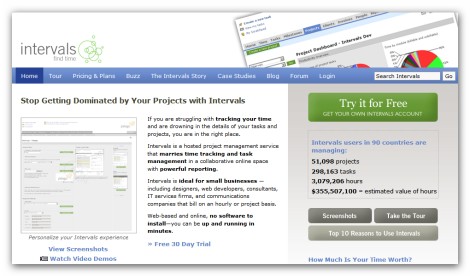
Intervals is a hosted project management service that combines time tracking and task management in a collaborative online tool with powerful reporting. It’s useful for both small businesses and big companies helping you to track and save your time and, as a consequence, improve the efficiency of your workflow. Intervals has pretty standard functionality that would be sufficient for the great majority of users, though there are some things needed to be improved.
For now let’s check Project View screenshot:
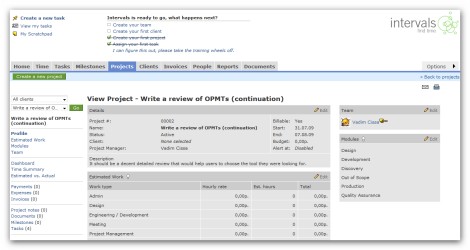
This page provides very detailed overview of the project. In addition to the project details here you can find: estimated work, links for tasks, milestones, documents, payments, invoices , opportunity to create new tasks, and etc.
Here is the screenshot of Tasks Page:
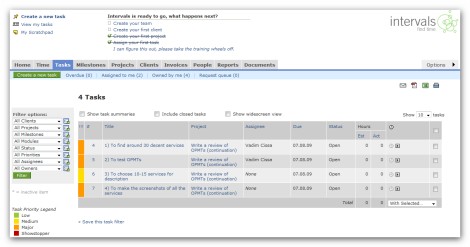
As in previous case here you have everything you may need: task priority, stasus, due date, opportunity to start task timer, task filter, exporting options and etc.
The final thing we will check is Task View with Comments page:
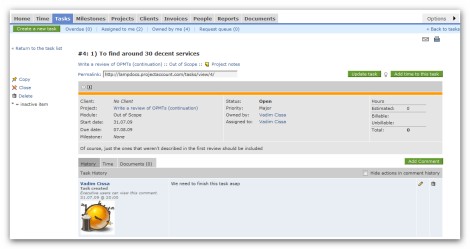
Here you get a very detailed view of a task with the opportunity to leave comments, attach files or start tracking time – all you may need as far as a task is concerned.
Main characteristic features:
- Opportunity to rapidly create and send invoices direct from Intervals
- Time tracking
- SSL 256bit encryption
- Opportunity to use project templates
- Ability to change skins and etc.
Pros and cons:
+ priority for tasks
+ descriptions for projects and tasks
+ commenting on projects and tasks
+ detailed reports
+ ability to create invoices
+ rich text formatting
+ separate panel for files
– no subtasks
– no separate panel for communication
– no comments on files
– no Calendar panel
– too ordinary interface
Customer support service
We didn’t get the response at all.
Project Mark: 4-
LightHouse Online Task Manager
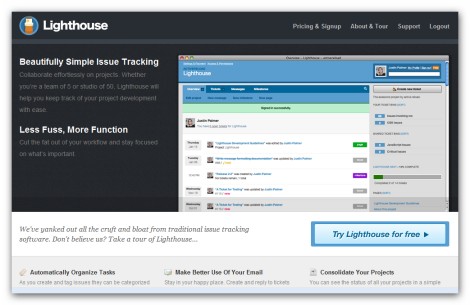
Despite the fact that Lighthouse online task manager has to be considered more as an issue tracker than a project management tool, it can easily perform the function of the last one. Lighthouse simplicity and decent functionality will be appreciated at its true value by many customers. However if you need really great functionality and many extra features, such as meeting, blog, conferencing and etc, this service is not the one you need to take into consideration.
Now let’s take a closer look at the first screenshot – Dashboard:
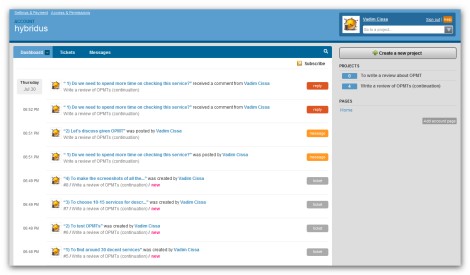
In fact this page is almost empty – there is nothing but latest project activity (and the opportunity to create new project). However such a structure is understandable, because developers always emphasize the simplicity of their solution.
Next screenshot represents Milestone View with Tasks:
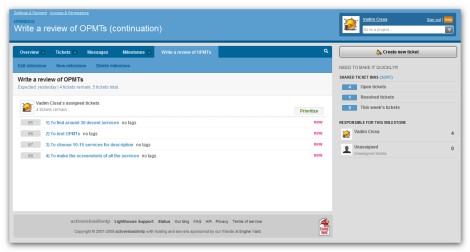
Once again it’s very simple – just the task list. There is no even general info about tasks. The lack of information capability is obvious.
The last thing to take a look at is Messages with Comments:
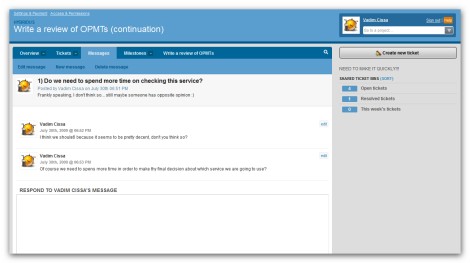
As you understand it’s simple as well, but in this certain case it can hardly be considered as a disadvantage.
Main characteristic features:
- Extremely simple interface
- Opportunity to manage many things via email (reassign a ticket, reply to a message and etc.)
- Ability to create your own pages
- Many services can be integrated with Lighthouse (Beanstalk, Exceptional, Hoptoad and etc.)
- Opportunity to create your own ticket statuses
Pros and cons:
+ separate panel for communication
+ nice looking interface
+ commenting on tasks (tickets)
+ description for projects and tasks (tickets)
+ ability to add your own pages to the project
+ ability to create own statuses for the tasks
– no subtasks
– no calendar view
– no detailed reports
– no way to comment on projects
– poor text formatting (using tags)
Customer support service
We received response very fast – within 24 hours.
Project Mark: 3+
LiquidPlanner online Task Manager Tool
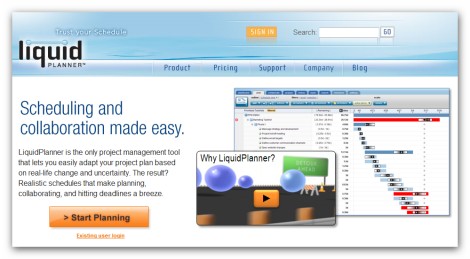
LiquidPlanner represents another web-based task management application that can help you to significantly improve the way you work. It is regarded as the only project management tool that lets you easily adapt your project plan based on real-life change and uncertainty. LiquidPlanner is the solution that really allows you to focus on what’s important: getting things done, so there is no need to worry that its functionality may force you to spend even more time on the projects.
Here is the first screenshot – Dashboard Changes View:
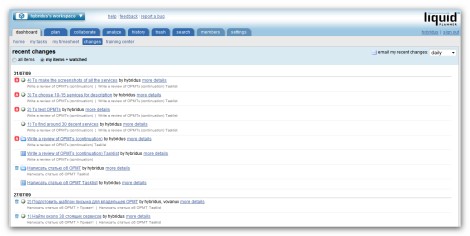
In fact Dashboard consists of 5 sections: home, my tasks, my timesheet, changes and training center. Thus the one we are checking now provides only some information; if you consider all the sections of the Dashboard, you will understand that it’s very informative. However has a significant impact on the usability of service, because it’s not a great idea to make user click 4-5 times before he/she can get all the information.
Another important page to check is Plan Page:
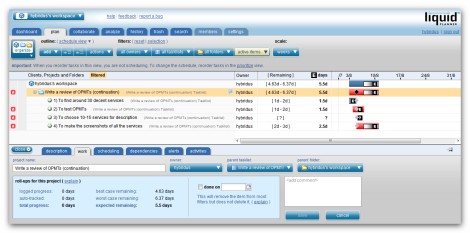
On this page there is a lot of different information about your workflow in general. The most important things you can see here are: projects, tasks, task description, task dependency, scheduling options, estimated time, Gantt chart, task alerts and etc.
Collaborate Page is also of great important:
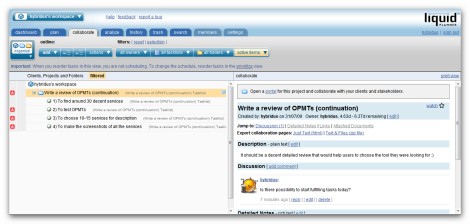
Instead of the timeline here you get a detailed view (description, comments, notes, links and documents) of a task. Such a structure (vertically separated in two areas) is very useful allowing users to check both the projects with task lists and all the details of a task.
Main characteristic features:
- Great email integration (imports all the data sent via email)
- Secure project portals
- Personalized To-Do Lists (each user of the system has his own, customized view of their tasks in priority order)
- Professional timesheets
- Twitter-like commenting and etc.
Pros and cons:
+ commenting on tasks and projects
+ rich text formatting
+ descriptions for projects and tasks
+ task lists and folders (as a replacement for subtasks)
+ task dependencies
+ ability to add tasks via email
+ implemented Gantt chart
– quite pricey
– no separate panel for files
– no calendar panel
Customer support service
The response was received very fast – within 24 hours.
Project Mark: 4+
OnStage Project Management Tool
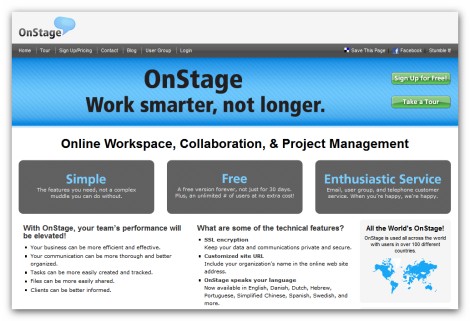
OnStage is a simple team collaboration and project management tool, which may be considered as a decent one by the users who don’t need a lot of functions. Though it has more or less attractive user interface, there are some important things that have to be improved. However taking into consideration its affordable prices and the presence of free version (which has quite good characteristics), I would recommend you spend a couple of minutes and check it, because it may be the tool you are looking for.
Let’s check the way Dashboard looks:
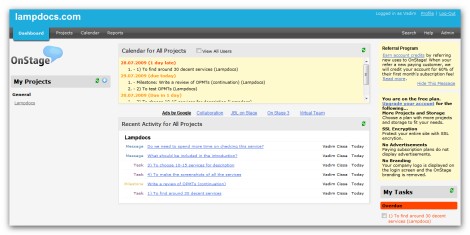
Although Dashboard provides almost all information user may need (my projects, calendar for all projects, recent activity for all projects, my tasks), the way it is organized cannot be considered as a rational one.
Here is the screenshot of Task Page:
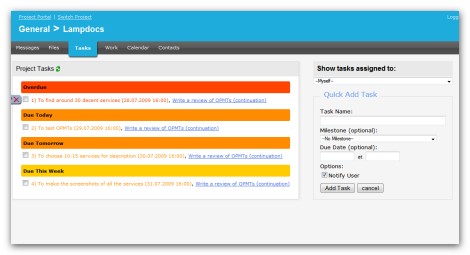
This page probably represents the most important disadvantage of this tool, because there is absolutely nothing users generally need while working with tasks (description, priority, status, comments and etc.). The developers need to significantly improve given page in order to attract a decent amount of users.
The final page we will review is Messages Page:
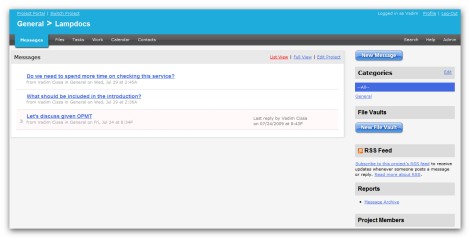
In comparison with Task Page this one is much better organized and represents one of the pros of given solution. Being quite simple it performs its main function well, though there are some things to be improved (for example, the opportunity to edit comments and etc.).
Main characteristic features:
- Very simple and easy-to-use tool
- Automatic backups
- SSL encryption
- Opportunity to use custom themes
- Six different packages to choose from, including a free one and etc.
Pros and cons:
+ rich text formatting
+ separate panel for discussions
+ separate panel for files
+ Calendar panel
+ Gantt chart view
– no descriptions for tasks
– no way to comment on tasks
– no way to comment on files
– no way to edit the message
– no subtasks
Customer support service
We received very fast response – within 24 hours.
Project Mark: 3
Thanks for reviewing DeskAway :) will keep the cons you have mentioned in mind for future improvements.
In fact DeskAway is one of the best tools described in this review :)
DeskAway is really an awesome tool.
Indeed, DeskAway is quite comprehensive tool to me. I currently running a small project which might need the help from online project management too.
Looking around, found AJAXWorkspace can fulfill my needs. I am impressive with the task module which I can easily remark, reject, copy a task and also link document, link to other task. All these is not able to do in DeskAway.
No final decision at this moment… would like to see more other tool.
BTW, did you check the first review? There are 15 more tools :)
Deskaway is good but I have just switched to Dooster which I prefer and recommend you check out. http://www.dooster.net
We use Dooster as well. It wasn’t a switch as we haven’t used project management software before but we did look at Deskaway amongst others Basecamp, Zoho were in there as well. The partners chose Dooster. We’re a small company and haven’t been in business that long but things have moved very quickly and Dooster has been excellent. We’ve been able to go from a marketing to a sales position smoothly and I think it’s got something to do with the cohesiveness Dooster software enables.
Great Article, Please also check http://www.binfire.com It has sub-tasks (6 level deep), commenting on tasks and files plus tagging, dependencies for tasks, interactive Gantt, interactive whiteboard, project discussion board similar to Twitter and project workspace. It has a shout out button for real fast help response built in to the app.
The company I am currently at uses Dooster and it’s been an eye opener for me because it’s the first time I’ve used this sort of collaborative software. It really makes a difference.
I would recommend checking out http://www.Gtdagenda.com for an online project and task manager.
You can use it to manage your goals, projects and tasks, set next actions and contexts, use checklists, and a calendar.
Syncs with Evernote, and also comes with mobile-web version, and Android and iPhone apps.